 UnSaveAll
Instagram doesn’t keep a history of posts you unsaved, so there’s no “recently unsaved” folder. You can still track most posts down again. Here’s where to look, how to get them back, and how to keep a record next time.
In this guide
Quick answer: Instagram has no list of unsaved posts. To find one again, check the creator’s profile, your liked posts, your messages, and your browser history, then tap the bookmark to save it again.
Does Instagram keep a history of unsaved posts?
No. When you unsave a post, it’s removed from All posts and every collection, and Instagram doesn’t keep a record of it. The Your activity section shows likes, comments, and recently deleted content you posted, but not saves or unsaves.
The good news: unsaving doesn’t delete anything. The post still exists on the creator’s profile, so you can find it and save it again.
How to find a post you unsaved
Step 1 Check the creator’s profile
If you remember who posted it, go to their profile and scroll their posts or reels. Reels have their own tab on the profile.
Step 2 Check posts you liked
If you liked the post too, it’s in Profile → menu → Your activity → Interactions → Likes. You can sort by newest or oldest.
Step 3 Check your messages
If you sent the post to someone, or someone sent it to you, it’s in that chat. Open the chat and tap the chat name to see shared media.
Step 4 Search Instagram
Search the creator’s name, a hashtag, or a key word from the caption. For reels, the audio name is often the fastest way back.
Step 5 Check your browser history
If you’d opened it on instagram.com, the link may be in your browser history. Search for “instagram.com/p/” or “instagram.com/reel/”.
Save it again
When you find it, tap the bookmark icon under the post or on the side of the reel. Tap and hold the bookmark to put it straight into a collection.
When an unsaved post can’t be found
| Situation | What’s going on |
|---|---|
| The creator’s profile doesn’t show it | It was deleted or archived |
| You can’t open the profile | The account is private, deactivated, or blocked you |
| You don’t remember who posted it | Try your likes, messages, and browser history first |
Just unsaved it? Undo right away
If you tapped the bookmark by mistake, tap it again while you’re still on the post. It saves again instantly. If you had it in a collection, tap and hold the bookmark to add it back to that collection.
Finding a reel you unsaved
- Use the audio. Tap the audio name on any reel using the same sound, and browse the reels that use it.
- Check the creator’s Reels tab. Their profile has a separate tab for reels, which is quicker than scrolling posts.
- Look in your likes. Liked reels are listed in Your activity along with posts.
- Search a hashtag or key phrase from the caption or on-screen text.
Avoid unsaving by accident
- Save important posts into a collection. It’s easier to spot if one goes missing.
- Send posts you really want to keep to yourself in a DM, or to a friend.
- Before clearing your saved posts, request a copy from Download your information so you have a full list of links.
Keep a record of what you unsave
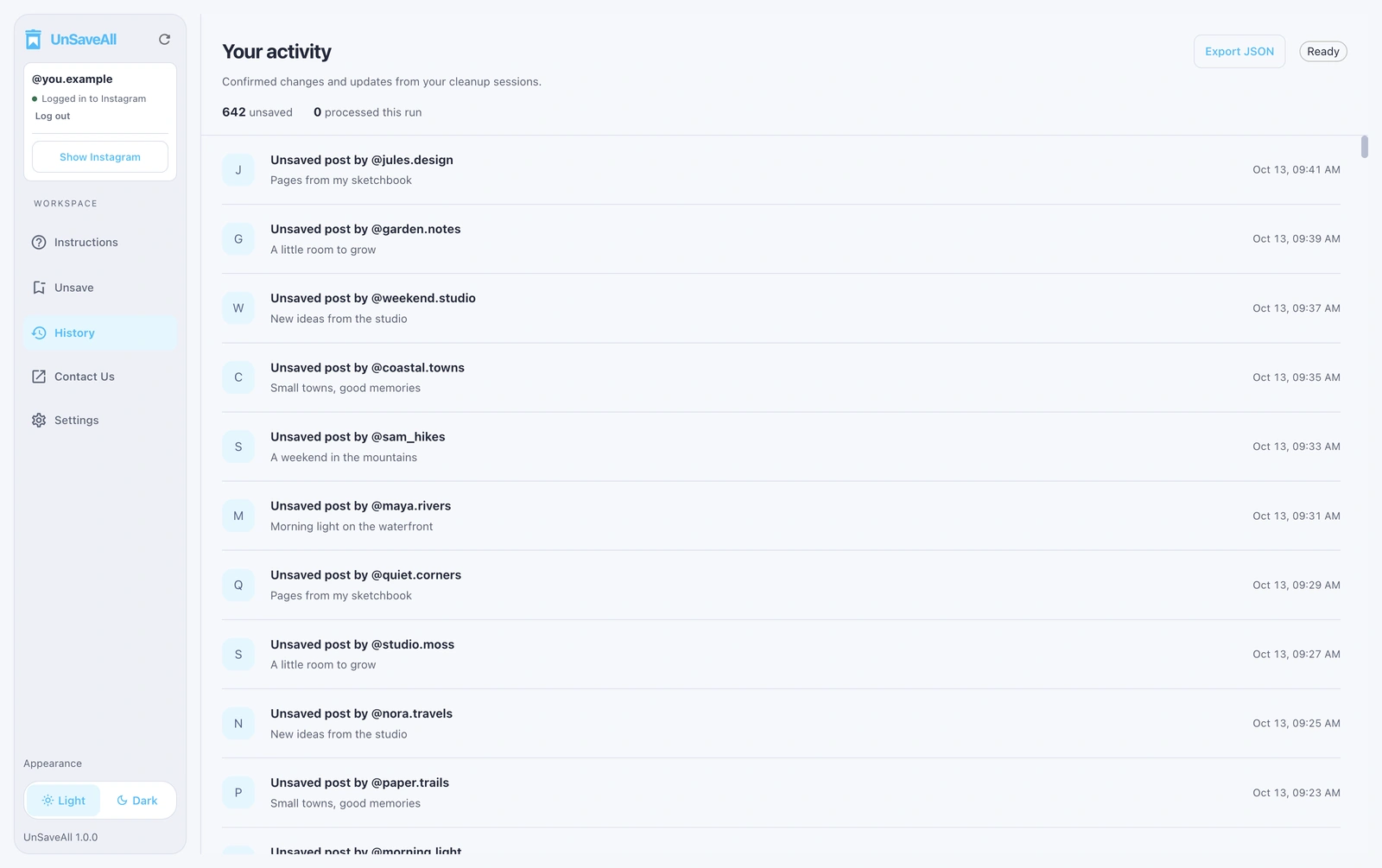
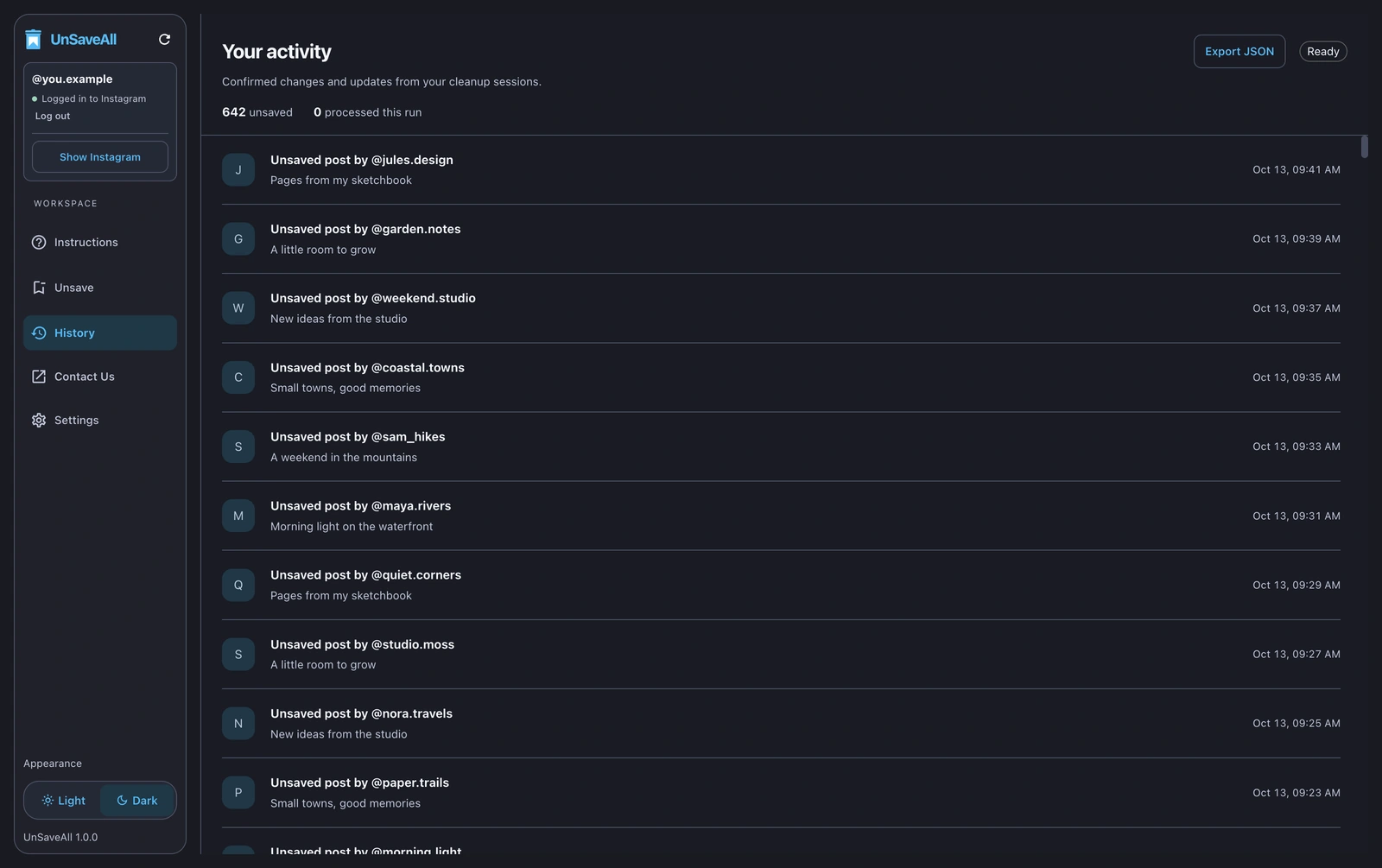
If you clear your saved posts with UnSaveAll, every post it unsaves is listed in its history, with the account name and a link to the post. That makes it easy to go back and save something again later. On desktop you can also export the history.
Ready to clear your saved posts? See how to unsave all posts on Instagram at once.
Unsave all your Instagram posts with UnSaveAll
Clear every saved post and reel with one click. On iPhone, Android, Mac, and Windows.


Frequently asked questions
Can I see posts I unsaved on Instagram?
No. Instagram doesn’t keep a list of unsaved posts.
How do I recover an unsaved post?
Find the post again on the creator’s profile, in your likes, or in messages, then tap the bookmark to save it again.
Does unsaving a post delete it?
No. It only removes it from your Saved folder. The post stays on the creator’s profile.
Is there a recently unsaved folder?
No. Recently deleted only covers your own posts, not saves.
Does the creator know I unsaved their post?
No. Unsaving sends no notification.
Can I undo an unsave?
Yes, if you’re still on the post. Tap the bookmark again to save it.
Can I get a list of my saved posts before clearing them?
Yes. Use Download your information and select Saved to get every link.